Bike cameras compared for commuting, road cycling and ride videos
Compare 13 bicycle camera options, from budget action cameras to front-and-rear recording systems, radar cameras and 360° models. Choose around recording reliability, night conditions, battery life and how you will use the footage.
Start here
- Start by choosing the job: incident evidence, a rear-facing traffic warning, an integrated light, or an action camera for edited ride films.
- For rear recording with vehicle-radar warnings, start with Garmin Varia RCT715. For a rear-facing 4K camera without radar, compare Cycliq Fly6 Pro.
- For a front camera combined with a light, compare Garmin Varia Vue with Cycliq Fly12 Sport, paying close attention to runtime and recording mode.
- For edited ride films and wider use, compare GoPro HERO Black with DJI Osmo Action. Consider Insta360 X5 or GoPro MAX2 only if capturing every direction for later reframing is useful.
- Budget for a secure mount, a compatible memory card and enough power for the whole ride. Resolution alone does not establish evidence quality.
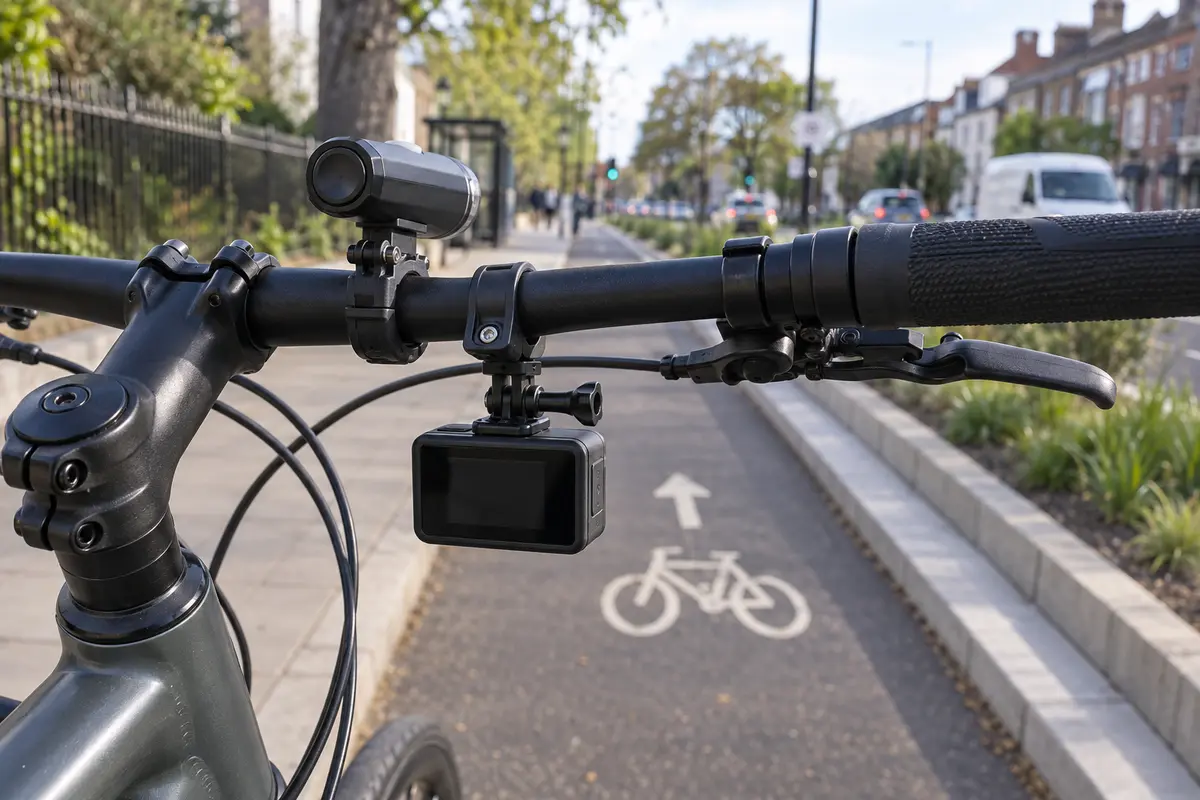
Bicycle-camera comparison shortlist
These selections are based on documented manufacturer functions and the different jobs riders need a camera to do. They are not claims that RideIn has road-tested every model or measured comparative night performance. There is no single winner for both routine commuting evidence and high-end filmmaking.
| Camera | Primary role | Format | Video context |
|---|---|---|---|
| Garmin Varia RCT715 | Rear camera, radar and light in one unit | Rear-facing cycling camera | 1080p at 30fps |
| Garmin Varia Vue | Front recording with an integrated headlight | Forward-facing camera and light | Up to 4K at 30fps |
| Cycliq Fly12 Sport | Front cycling camera with loop recording | Forward-facing camera and light | Up to 2880 × 2160 at 24fps; other modes available |
| Cycliq Fly6 Pro | Rear 4K recording without radar | Rear-facing camera and light | 3840 × 2160 at 30fps |
| GoPro HERO13 Black | Versatile action camera for rides and other activities | Conventional action camera | Up to 5.3K at 60fps |
| GoPro HERO11 Black | Older premium model to compare on price | Conventional action camera | Up to 5.3K at 60fps |
| GoPro HERO | Small, simpler action-camera option | Compact action camera | 4K recording |
| GoPro LIT HERO | Compact camera for mixed lifestyle and ride clips | Compact action camera with fill light | Up to 4K at 60fps |
| DJI Osmo Action 6 | Alternative action-camera system | Conventional action camera | High-resolution recording; check mode and firmware |
| Insta360 X5 | 360° coverage with reframing flexibility | Dual-lens 360° camera | 8K across the complete 360° image |
| GoPro MAX2 | 360° option within the GoPro system | Dual-lens 360° camera | 8K across the complete 360° image |
| AKASO EK7000 | Budget experiment for occasional recording | Budget action camera | 4K advertised; verify exact version |
| GoPro MISSION 1 PRO | Premium creator option, beyond a basic commute camera | Compact cinema camera | Up to 8K30 and 4K120 open-gate video |
Prices and availability are deliberately not frozen into this comparison. Confirm the live seller, exact model, bundle contents, warranty and delivered price before ordering; different bundles of the same camera are not additional models.
Choose the kind of recording you need
| Approach | What it can suit | Main trade-off |
|---|---|---|
| Dedicated cycling camera | Regular journeys, loop recording and incident retention | Less versatility for general filming; some models combine a light or radar |
| Action camera | Ride films, holidays and several mounting positions | Power, memory management and recording settings need deliberate setup |
| 360° camera | Choosing viewpoints later and recording activity around the mount | Reframing, large files, exposed lenses and detail spread across a sphere |
For evidence, the first priority is that the camera was recording and the file can be retrieved. For a ride film, stabilisation, sound and editing flexibility may matter more. Decide which job is primary before paying for resolution, lenses or accessories.
The cameras in detail
Garmin Varia RCT715
The RCT715 combines rear recording with a tail light and approaching-vehicle radar. It is a strong shortlist candidate if you already use a compatible Garmin setup or want radar information alongside a rear camera. Its radar function and recording function do different jobs: the alert is information for the rider, while the camera preserves a view behind.
Why shortlist it: Continuous or radar-activated recording options and automatic incident saving make it more commute-focused than a general action camera. The listed camera runtime is 4–6 hours depending on light mode.
What to check: The video is 1080p, not 4K. Radar does not establish that an overtake will be safe or replace observation. Check compatibility with your display or phone, the seatpost mount and any luggage that could obscure the lens or radar.
Check latest priceGarmin Varia Vue
The Varia Vue combines a forward-facing camera with a headlight and automatic incident saving. It is an obvious comparison for riders who want a coordinated Garmin front-and-rear setup, especially alongside an RCT715. The Vue itself does not contain rear radar.
Why shortlist it: A single front mount can reduce cockpit clutter. The documented light modes include a shaped cutoff beam, with camera settings controlled through compatible devices or the Varia app.
What to check: Battery life depends heavily on the combination of light and video mode. The published 4K figure is 1.25 hours with high light or 5 hours with day flash; the seven-hour headline uses 1080p and day flash. A memory card is not included. Budget for one and check the required specification.
Check latest priceCycliq Fly12 Sport
The Fly12 Sport is purpose-built around recording a bicycle journey, with loop recording and incident protection. It is worth comparing with the Vue if you want an integrated front camera and light but do not need Garmin’s device ecosystem.
Why shortlist it: The manufacturer lists a 400-lumen light, IP56 protection and up to seven hours with the camera alone or five hours in its Organic mode. The current package lists a 64GB card.
What to check: Read the resolution table carefully: its highest listed recording mode is 2880 × 2160 at 24fps, despite references to 4K playback. That is not the same pixel format as 3840 × 2160 UHD. Published battery figures are mode-dependent claims, not a guarantee for your route.
Read the Cycliq Fly12 Sport specification and buying optionsCycliq Fly6 Pro
The Fly6 Pro is the rear-camera option to compare when recording detail and cycling-specific operation matter more than radar. It combines a rear light with loop recording and incident protection, keeping the equipment together at the back of the bicycle.
Why shortlist it: The specification includes true 4K UHD recording, lower-resolution HDR modes and IP67 protection. These provide useful choices, although the right mode still needs testing on your own journey.
What to check: It does not provide the RCT715’s vehicle radar. Check the light, mount and camera position with your saddlebag and jacket in place. A high-resolution rear view still cannot guarantee readable number plates through spray, glare, darkness or vibration.
Read the Cycliq Fly6 Pro specification and buying optionsGoPro HERO13 Black
The HERO13 Black is a sensible comparison point if you want one camera for cycle rides, holidays and action footage. Its high-resolution recording and in-camera HyperSmooth 6.0 stabilisation suit edited ride videos, while its mounting ecosystem offers several ways to position it.
Why shortlist it: It gives more creative flexibility than a dedicated rear evidence camera. The ability to crop a high-resolution original can help with different presentation formats, subject to the detail available in the footage.
What to check: Check what the bundle actually includes: an adhesive mount is not automatically a handlebar clamp. Establish recording duration at the resolution you intend to use and whether loop settings suit the commute. Optional cloud and editing services are separate buying decisions.
Check latest priceGoPro HERO11 Black
An older premium action camera can be a better purchase than a newer entry-level model if you value its recording options and stabilisation. The HERO11 Black offers 5.3K60 capture and in-camera HyperSmooth 5.0, but its older-model status makes current support and seller terms important.
Why shortlist it: A live clearance price may make it a lower-cost route into the higher-end GoPro format. Compare the exact included battery and accessories rather than assuming every remaining bundle is alike.
What to check: It is an older generation, so compare support, accessories and the actual price gap with newer models. Check whether a compatible microSD card is included. A discount is useful only if the battery, mounting arrangement and workflow fit your needs.
Check latest priceGoPro HERO
The compact HERO suits riders who want a small camera and relatively simple controls. At a listed 86g it is lighter than many larger action-camera arrangements, although the mount and any additional hardware still contribute to the complete setup.
Why shortlist it: It provides a familiar mounting format and a compact package for occasional ride recording or short clips. Its listed waterproof depth is 5m with the camera correctly closed.
What to check: HyperSmooth stabilisation is applied through the Quik app, rather than being the same in-camera workflow as HERO Black. Check whether that extra processing step suits evidence retention or quick file transfer. The listed one-hour runtime is not an all-day commuting solution.
Check latest priceGoPro LIT HERO
LIT HERO adds a built-in camera light to a compact action-camera format. It is most relevant when the same device will record everyday clips and occasional rides, rather than serving only as a dedicated bicycle evidence recorder.
Why shortlist it: The listed 93g body and 4K60 mode provide a compact creative option. The light can help illuminate nearby subjects in some filming situations.
What to check: A camera fill light is not a substitute for an appropriate bicycle headlight, and it does not prove that distant number plates will be readable at night. Compare its recording workflow and mounting costs with the simpler HERO and the more capable HERO Black models.
Check latest priceDJI Osmo Action 6
The Osmo Action 6 is an important alternative if you are comparing complete action-camera systems rather than choosing within one brand. DJI specifies a 1/1.1in square sensor, a variable f/2.0–f/4.0 aperture and 50GB of built-in storage.
Why shortlist it: Built-in storage provides another recording option alongside the card workflow. The adjustable aperture and sensor format offer creative flexibility, though neither alone establishes superior traffic-evidence performance.
What to check: DJI’s four-hour battery headline has test conditions; do not assume it applies at maximum resolution with every feature running. Match the exact combo, included batteries and mounts, and confirm your phone can run the required software. Test low-light moving detail rather than judging from a bright promotional clip.
Read the DJI Osmo Action 6 specification and buying optionsInsta360 X5
The X5 records around the camera so you can choose a direction later. This can be useful for edited ride films or understanding activity beside the bicycle that a forward-facing camera would miss. Insta360 specifies replaceable lenses and a low-light PureVideo mode.
Why shortlist it: You can produce several viewpoints from one recording, provided the bicycle, rider or luggage has not physically blocked them. Replaceable lenses are useful on a device with exposed optics.
What to check: An 8K sphere is not an 8K image in every cropped direction. Reframing requires processing and storage, while stitched areas and distant details need careful inspection. Do not assume one 360° camera gives the same close rear view as a correctly positioned dedicated rear camera.
Read the Insta360 X5 specification and buying optionsGoPro MAX2
MAX2 is the comparison for riders who want 360° footage while staying with GoPro’s software and mounting ecosystem. The listed package includes the replaceable-lens camera and an Enduro battery, with GPS among the documented features.
Why shortlist it: Recording around the camera gives latitude to choose the final view after a ride. It can be more flexible for storytelling than committing to a single fixed direction at the start.
What to check: Compare the editing workflow with the X5 before choosing. The headline 8K figure covers the sphere, not a single reframed view. Check the lens protection, mounting clearance and total accessory cost; large unsupported poles are a poor default on a busy commute.
Check latest priceAKASO EK7000
The EK7000 is a budget option for finding out whether you will use a bike camera regularly. The product name appears across different generations and bundles, so the exact UK listing matters more than a generic feature list copied from another market.
Why shortlist it: It can provide a relatively low-cost way to try camera placement, file transfer and the habit of charging and checking recordings before committing to an expensive system.
What to check: Confirm stabilisation, supported modes, included batteries and the waterproof housing for the supplied version. Do not assume the bare camera is weatherproof or that a current overseas specification applies to older UK stock. Treat night evidence and audio through a closed case as things to test, not promised strengths.
Check Amazon priceGoPro MISSION 1 PRO
MISSION 1 PRO belongs on the wider comparison for riders making ambitious films rather than simply recording the daily journey. The family uses a one-inch sensor and offers recording modes aimed at creators who will edit and grade their footage.
Why shortlist it: It expands the creative end of the comparison. A buyer already planning higher-end video work may prefer one capable camera for several projects.
What to check: It is an expensive and unnecessary starting point for many commuters. Check the exact PRO specification against the standard MISSION 1 and the separate ILS model; the names do not describe identical cameras. Account for mounting, storage, battery choice and processing requirements before paying for headline resolution.
Check latest priceCompare the exact camera and bundle before buying
Compare the exact kit contents: extra batteries, a memory card, a handlebar mount and a case can change the effective price considerably. Check the warranty, returns arrangements and delivery options alongside the price.
| Listing | What to verify | Buying link |
|---|---|---|
| RCT715 camera, radar and tail-light package | Mount, warranty, seller and bundle contents | Check latest price |
| RCT715 camera, radar and rear-light package | Same part number, live availability and delivered total | Check latest price |
The HERO13 Black Speciality Bundle and Extended Power Bundle contain the same camera model. Compare the accessories you will actually use rather than counting bundles as different cameras, and read the live contents before treating a bundle label as a saving.
Check latest priceFor lower-cost accessories, start with our cycling gear comparisons. Choose memory cards from a reliable seller and follow the camera manufacturer’s approved type and speed guidance. Do not buy a generic mount merely because its photograph resembles the fitting on your camera.
Night footage and number plates: what resolution cannot promise
A number plate must occupy enough of the image, be in focus and remain sufficiently sharp during exposure. Headlights, reflective plates, wet roads and sudden brightness changes can make that difficult. Electronic stabilisation can steady the scene without removing motion blur already recorded in each frame.
More frames per second do not automatically produce better night evidence. The camera still needs enough light for each exposure, and changing modes may alter noise reduction, compression or stabilisation. “HDR” also means different things across devices. Compare actual moving detail in the mode you intend to use.
After mounting, make a short test recording in daylight and on your normal evening route. Stop safely before inspecting it. Look at passing traffic, road position and the period before and after an event, not just a still object outside your house. Clean the lens regularly: a film of road spray can defeat an otherwise capable camera.
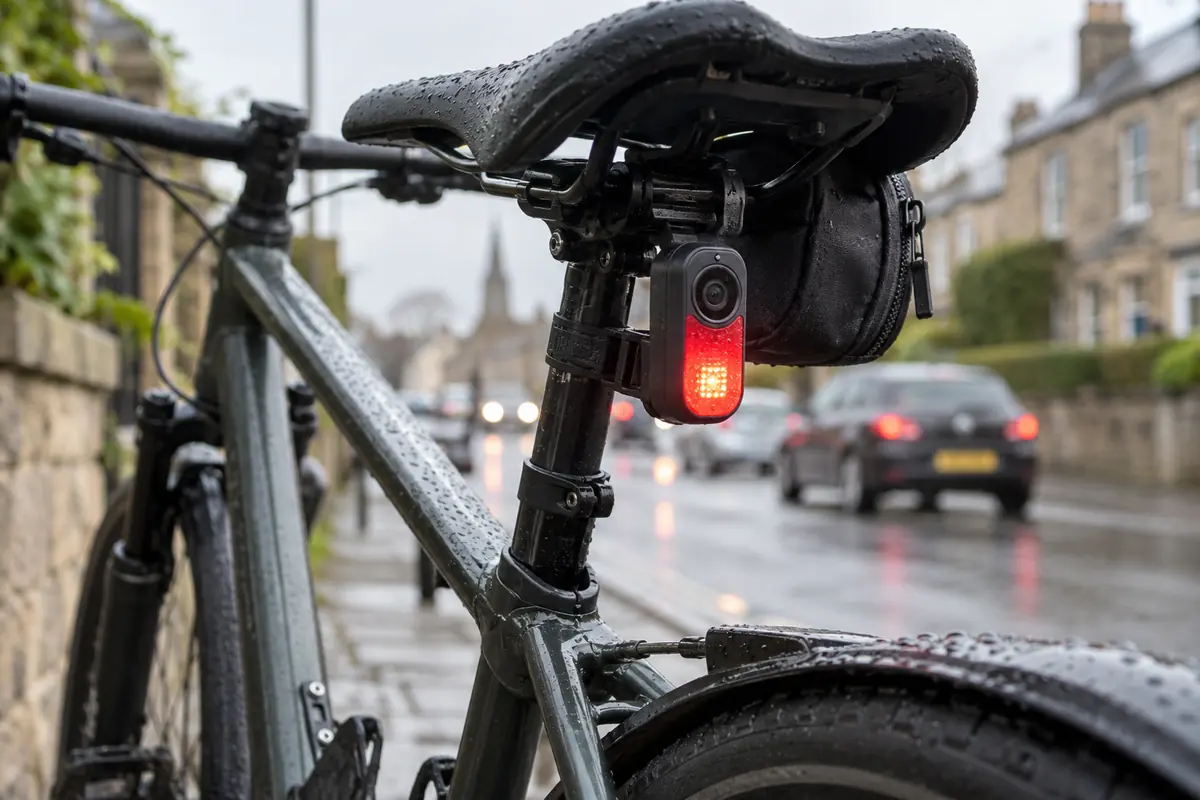
Plan power and memory for the complete journey
Battery claims need a mode attached
Resolution, frame rate, stabilisation, screens, wireless connections and integrated lights all affect runtime. Cold weather and battery age can reduce it further. Leave a margin for a diversion or a forgotten charge. A camera that covers the outward ride but stops before the return needs a different charging routine.
The Vue illustrates why headlines need context: its published 4K runtime with high light is much shorter than its 1080p day-flash figure. Similarly, a camera-only endurance claim does not establish how long a combined camera and light will run at night.
Estimate storage from bitrate
As an arithmetic example, 60 megabits per second uses about 27GB per hour before allowing for formatting and other overheads: divide by eight to convert bits to bytes, then multiply by 3,600 seconds. The actual camera’s bitrate may vary, so confirm how much time your chosen card stores in the selected mode.
Loop recording overwrites older unprotected material once storage fills. Learn how to lock a clip and verify that the operation worked. Keep a spare compatible card if that fits your routine, format cards as instructed and periodically check that files play back. Do not assume an incident sensor detects every event you may want to retain.
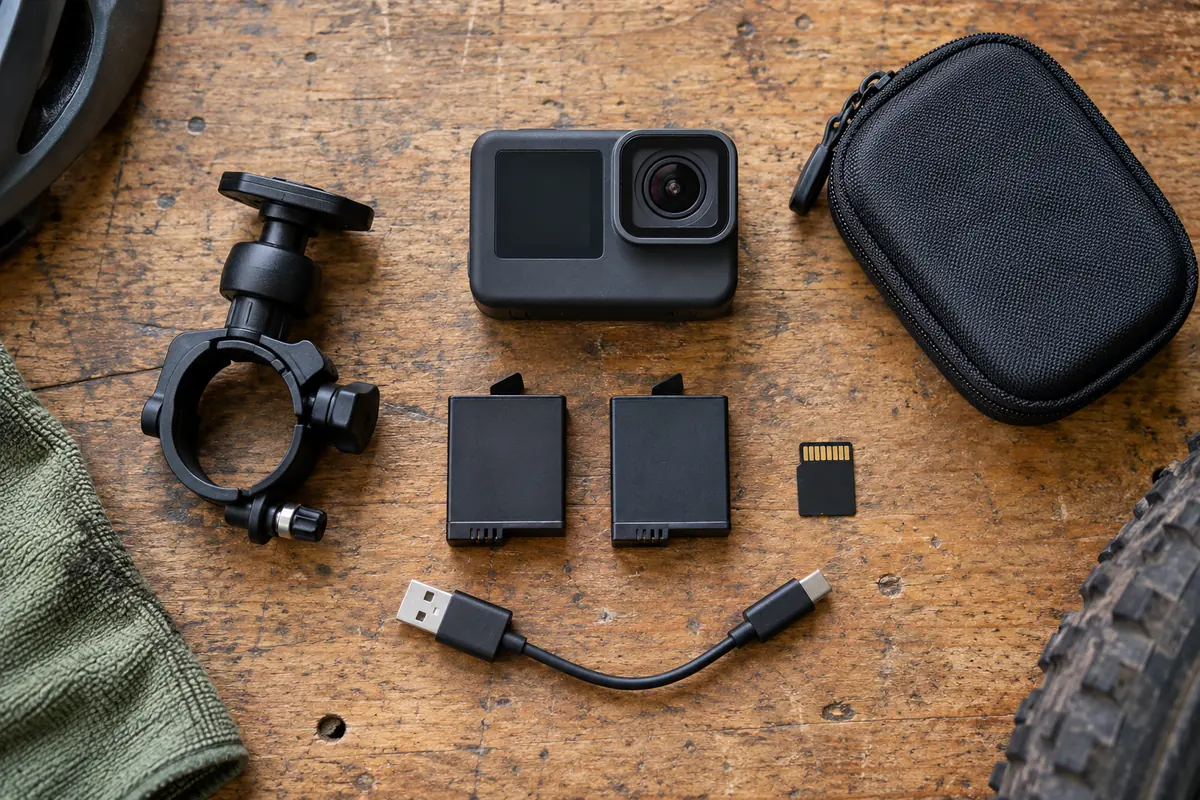
Mounting, weather and a dependable daily routine
A handlebar mount should leave brake levers, cables, lights and steering clear. A rear mount needs an unobstructed view past luggage and clothing. On a 360° camera, check both lenses and the stitched areas. Follow the mount’s load limit and tightening instructions, including those for carbon components.
Use an approved tether where specified, positioned so it cannot enter a wheel or drivetrain. Avoid long, flexible mounting stacks that magnify vibration. For helmet mounting, follow the helmet and mount manufacturers’ guidance; do not drill the shell or improvise an attachment that compromises its intended operation.
A waterproof rating assumes the required doors, seals or housing are correctly fitted. Charging through an open port can change that protection. Check the manufacturer’s instructions before using external power in rain, and let a wet camera dry as directed before opening it.
- Charge and inspect the camera; confirm the lens is clean and the card is recognised.
- Check the date and time, selected mode, mounting security and available recording capacity.
- Start recording and confirm the indicator before moving.
- After an event, stop somewhere safe before saving or checking footage.
- Review a sample file regularly so a failed card, blocked view or loose mount does not go unnoticed.
Keep useful incident footage and follow the reporting process
Retain the original file and enough footage before and after an incident to show context. Make a backup before editing or sharing. Keep a note of the time and location, particularly if the camera clock was inaccurate. An edited social-media clip should not become the only surviving copy.
Use the reporting route for the police force covering the incident and read its current requirements, deadlines and upload limits. The Metropolitan Police road-traffic reporting page is one example; other forces use their own processes. Camera ownership does not guarantee an investigation or a particular outcome.
Keep attention on riding, avoid confronting another road user to obtain footage, and avoid publishing identifiable people simply to invite criticism. A camera is one part of a commuting setup. Suitable rear lights, a clear view and a manageable route remain relevant whatever device you choose.
Frequently asked questions
What is the best camera for a cycling commute?
Start with reliable recording for the entire journey, secure mounting and a simple way to retain a clip. A dedicated cycling camera can suit routine evidence recording; an action camera can be more versatile for other uses. Choose a front or rear position according to the coverage you need, and test the actual route.
Do I need front and rear bike cameras?
They provide different views. A front camera records the road ahead and events as you approach; a rear camera can show an approaching vehicle before it passes. Neither guarantees complete coverage, and a single 360° camera can still have blocked views or insufficient detail at distance.
Is 4K always better than 1080p for number plates?
No. Resolution is only one factor. Light, shutter speed, focus, compression, lens cleanliness, distance and vibration affect readability. A sharp 1080p frame can be more useful than a blurred 4K frame. Test moving vehicles in realistic light while riding safely.
Does Garmin Varia Vue include radar?
No. The Vue is a front camera and headlight. The RCT715 combines a rear camera, radar and tail light. Compatible systems can work together, but they are separate devices with different roles.
Do bike cameras need a subscription?
Some offer optional paid cloud storage or editing features. Check what is available for local recording, file transfer and export without a subscription on the exact model. Garmin Vault and GoPro cloud services should be assessed separately from the hardware purchase.
Can a camera replace proper bike lights?
Only a suitable integrated light can perform the lighting role it is designed for, and it must be positioned and used correctly. A camera fill light is not a substitute for an appropriate bicycle headlight. Keep lighting needs separate from video resolution when choosing equipment.
Will a bike camera make drivers give me more room?
Do not rely on that. A camera can document part of a journey, but it cannot prevent a collision or guarantee another road user’s behaviour. Keep attention on riding and do not interact with camera settings while moving.
Sources and product information
Read the original specifications, instructions and official guidance. Availability, bundles and product details can change.
- Garmin Varia RCT715: product information
- Garmin Varia Vue: product information
- Cycliq Fly12 Sport: product information
- Cycliq Fly6 Pro: product information
- GoPro HERO13 Black: product information
- GoPro HERO11 Black: product information
- GoPro HERO: product information
- GoPro LIT HERO: product information
- DJI Osmo Action 6: product information
- Insta360 X5: product information
- GoPro MAX2: product information
- AKASO EK7000: product information
- GoPro MISSION 1 PRO: product information
- GoPro: MISSION 1 camera family
- Metropolitan Police: reporting a road traffic incident